
Reconciliation rules
Reconciliation rules auto-match incoming bank statement lines — so recurring transactions (bank fees, standard customer payments) reconcile themselves instead of being matched by hand. Rules are applied from Bank statements → Rules.
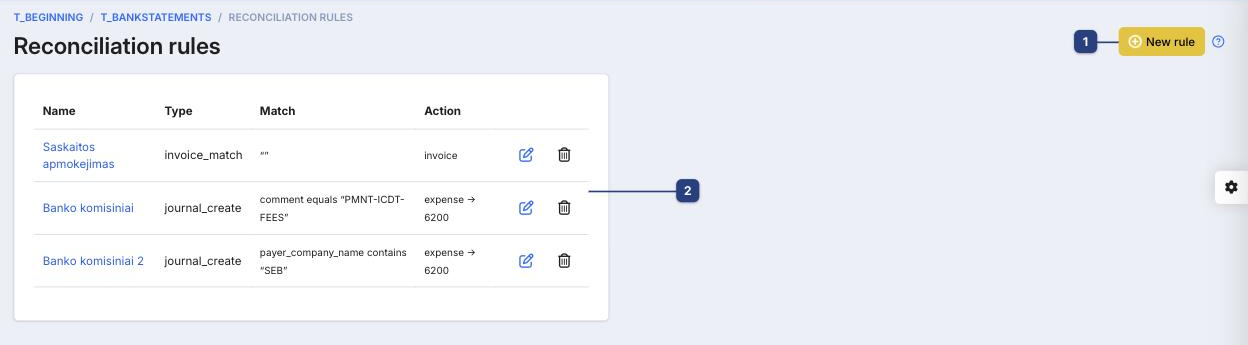
1 New rule
Creates a rule. Opens the rule editor on the right (see below).
2 The rules list
Existing rules, with columns:
- Name — your label for the rule
- Type — what it does (e.g.
invoice_match,journal_create) - Match — the condition that triggers it (e.g. comment equals "PMNT-ICDT-FEES")
- Action — the result (e.g. expense → 6200, invoice)
Use the pencil icon to edit a rule and the trash icon to delete it.
Creating a rule
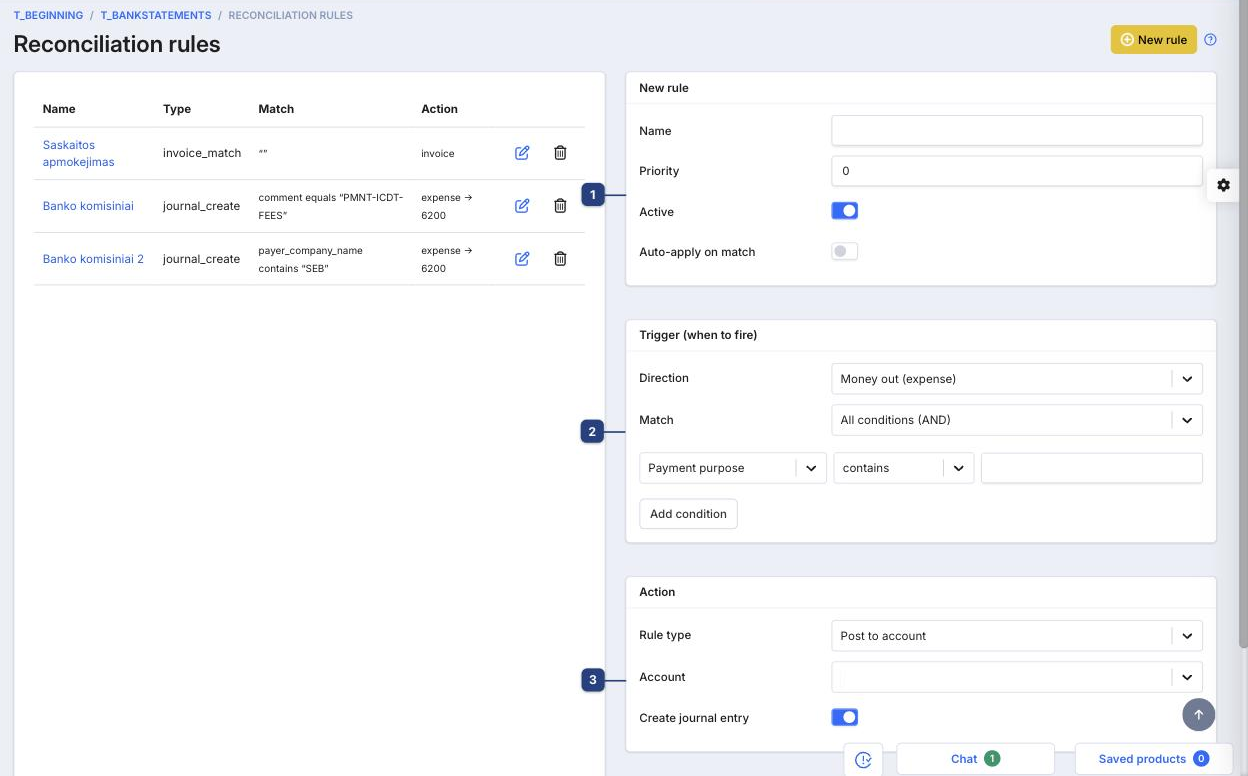
1 Rule details
- Name — a label for the rule
- Priority — lower numbers run first when several rules could match
- Active — turn the rule on or off
- Auto-apply on match — when on, matching lines reconcile automatically
2 Trigger (when to fire)
- Direction — money out (expense) or money in (income)
- Match — whether all conditions must hold (AND) or any (OR)
- Build conditions from fields like Payment purpose with operators such as contains / equals; Add condition for more.
3 Action
What happens when the rule matches — for example Post to account (choose the Account) or create a journal entry.
Related
- Bank statements — where rules are applied during reconciliation