
Companies list
The Companies list holds every customer and supplier. Use it to find a partner, open its card, check who owes you money and start a new company record.
Open it from Catalogs → Companies.
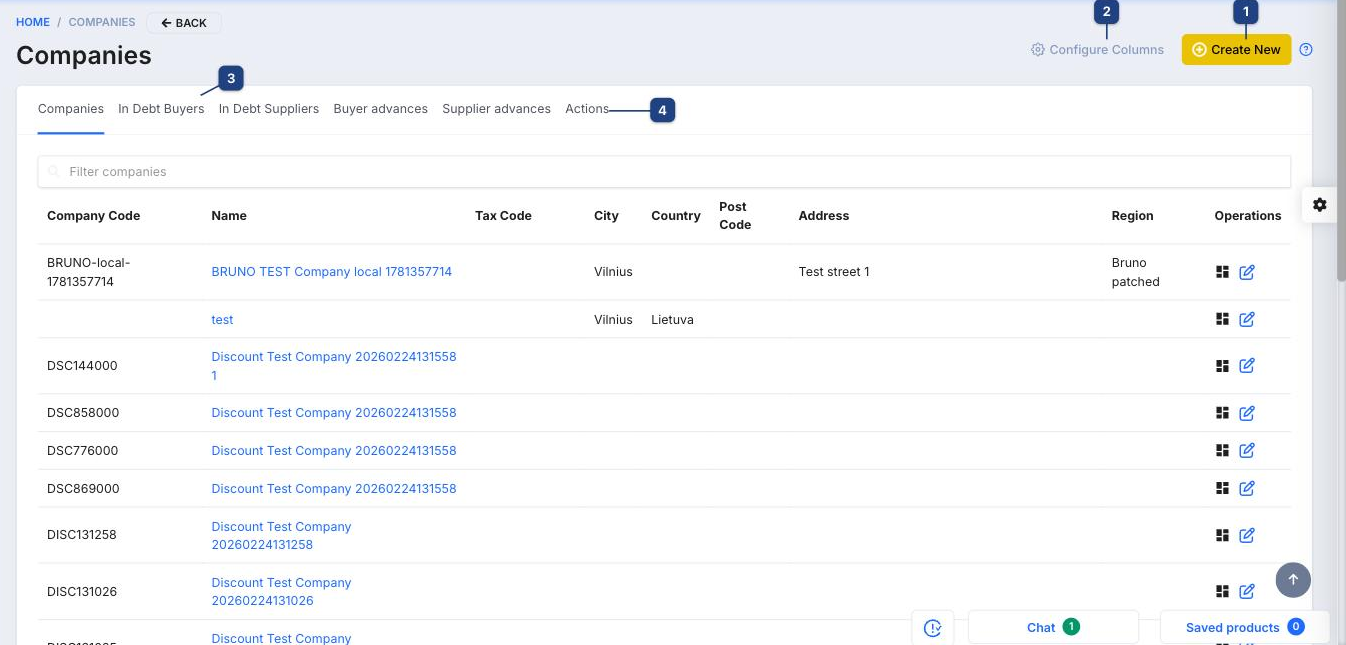
1 Create New
Opens the empty company form — see Creating a company.
2 Configure Columns
Choose which columns the list shows (code, name, tax code, city, country, post code, address, region). Saved per user.
3 Tabs
- Companies — everyone.
- In Debt Buyers — customers with unpaid invoices, with the open amount.
- In Debt Suppliers — suppliers you still owe.
- Buyer advances / Supplier advances — prepayments not yet matched to an invoice.
Type into Filter companies to search by code or name inside the current tab.
4 Actions
Bulk actions for the ticked rows: export, merge duplicates, assign to a company group, send a newsletter. The icons at the end of each row open the company's turnover (all documents with this partner) and the edit form.
Related
- Creating a company
- Bank statements — matching payments clears the debts shown here