
Order PDF template
The PDF of an order is rendered from a document of type PDF template. To change it, edit the document under Other modules → Documents and make sure the order slot in Configuration → Settings → Dokumentai points to it. The full editing and assignment flow is in Email and document templates; the template syntax is in Order, quote and proforma PDF templates.
Assigning the template
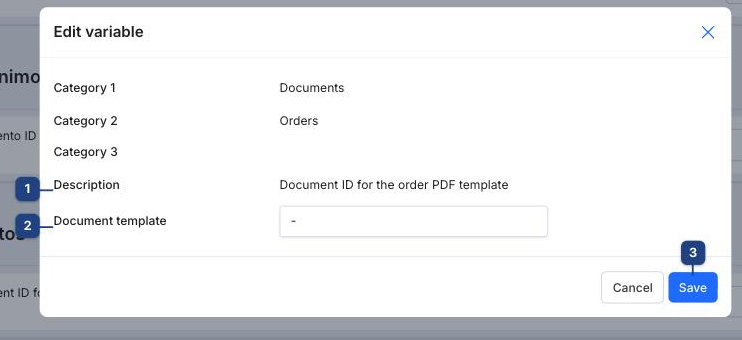
In Settings → Dokumentai, section Užsakymai, click Edit next to Document ID for the order PDF template (1), choose the document under Document template (2) and Save (3).
Example: printing a custom field
Custom fields may be empty on some orders, so check the value before using it. This prints the custom date field data when it is filled and falls back to the order date:
gotemplate
{{ if and .customFields .customFields.data }}
  {{ formatDateLithuanian .customFields.data }}
{{ else }}
  {{ formatDateLithuanian .date }}
{{ end }}