
Export of products
The Export of products page produces a spreadsheet of your products — you choose which categories, columns and filters apply, then download the file. Open it from Products → Export.
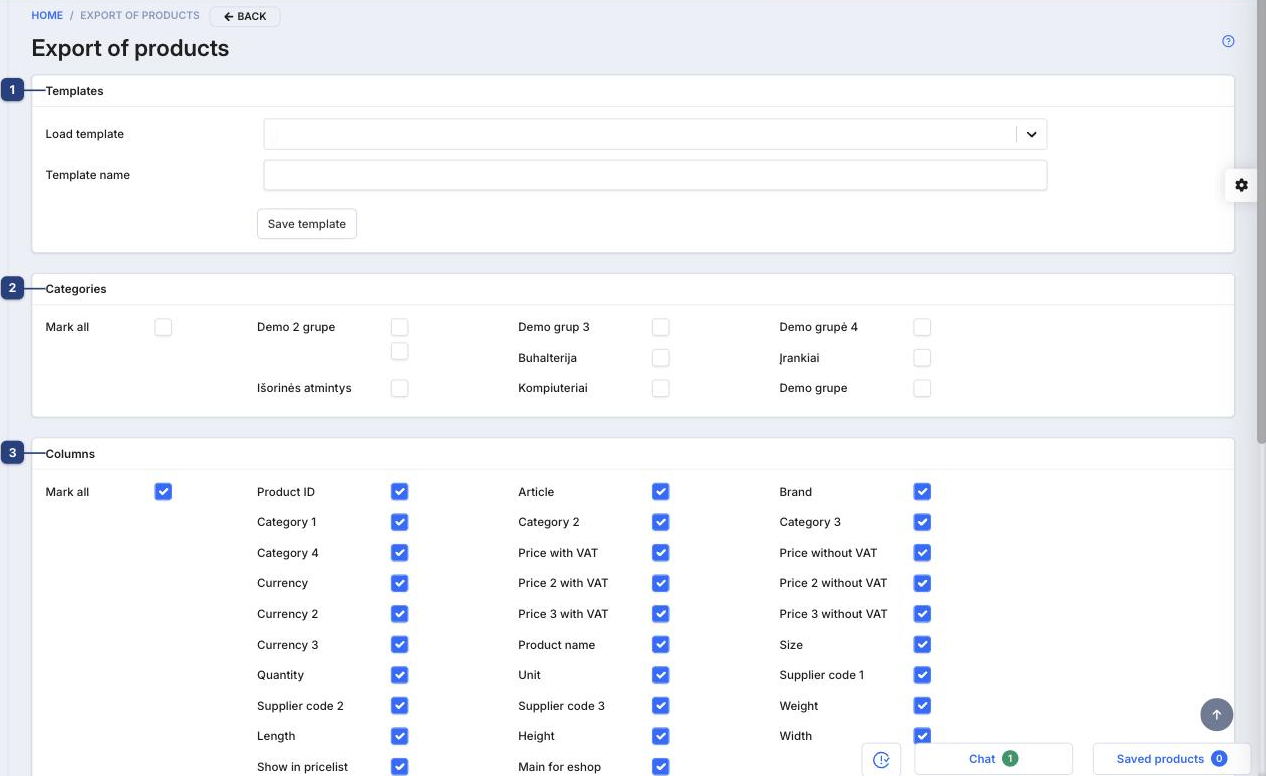
1 Templates
Save a set of export settings to reuse later. Load template pulls back a saved configuration; enter a Template name and click Save template to store the current selection.
2 Categories
Choose which product categories to include. Mark all selects every category, or tick individual ones.
3 Columns
Choose which fields end up in the file — Product ID, Article, Brand, the price and currency columns, quantity, supplier codes, dimensions, and more. Mark all toggles the whole set.
Below the columns, a Filters section lets you narrow down which products are exported (beyond the category selection). When your selection is ready, use the Export button to download the file.
Related
- Import products — the reverse: load products from a spreadsheet